Update the ESP32-C6 Wi-Fi co-processor on an ESP32-P4 board (ESP-Hosted)
An ESP32-P4 has no radio. Its Wi-Fi is an ESP32-C6 beside it running Espressif’s ESP-Hosted firmware, and that firmware has to be the release your ESP32 core was built with. Boards leave the factory with an older one. This page is how to tell, why it matters, and how to update the C6 from the browser in one click, with no Wi-Fi and no password.
Find your board
Open your board’s page and press Update my C6. Chrome or Edge on a computer; nothing to install, no account.
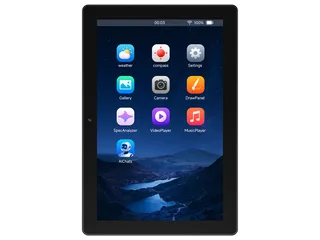 Waveshare ESP32-P4-WIFI6-Touch-LCD-10.110.1" 800x1280 MIPI-DSI panel (JD9365) with GT911 touch on an ESP32-P4, and Wi-Fi through its ESP32-C6. Compiled, not yet seen on a board.ESP32-P4 · JD9365 800 x 1280 · GT911 touchTest my boardUpdate my C6Purchase this board
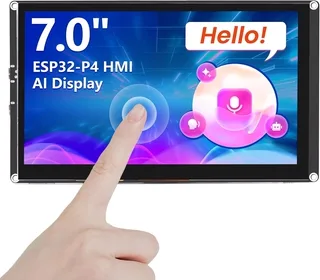 Elecrow CrowPanel Advanced 7 inch ESP32-P47 inch 1024x600 MIPI-DSI panel (EK79007) with GT911 touch, an I2S speaker amplifier and Wi-Fi through an ESP32-C6 on an ESP32-P4. The 9 and 10.1 inch are the same board. Compiled, not yet seen on a board.ESP32-P4 · EK79007 1024 x 600 · GT911 touchTest my boardUpdate my C6Purchase this board
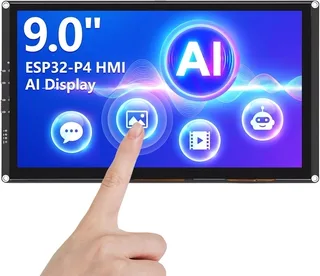 Elecrow CrowPanel Advanced 9 inch ESP32-P49 inch 1024x600 MIPI-DSI panel (EK79007) with GT911 touch, an I2S speaker amplifier and Wi-Fi through an ESP32-C6 on an ESP32-P4. The 7 and 10.1 inch are the same board. Compiled, not yet seen on a board.ESP32-P4 · EK79007 1024 x 600 · GT911 touchTest my boardUpdate my C6Purchase this board
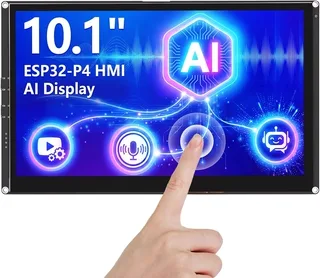 Elecrow CrowPanel Advanced 10.1 inch ESP32-P410.1 inch 1024x600 MIPI-DSI panel (EK79007) with GT911 touch, an I2S speaker amplifier and Wi-Fi through an ESP32-C6 on an ESP32-P4. The 7 and 9 inch are the same board. Compiled, not yet seen on a board.ESP32-P4 · EK79007 1024 x 600 · GT911 touchTest my boardUpdate my C6Purchase this board
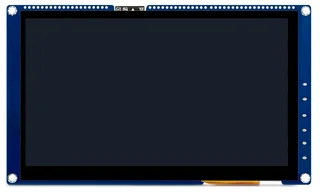 VIEWE ESP32-P4 SmartDisplay 7 inch (UEP4S070H1024V600C)7" 1024x600 MIPI-DSI panel (JD9165) with GT911 touch, an I2S speaker amplifier and Wi-Fi through an ESP32-C6 on an ESP32-P4. Compiled, not yet seen on a board.ESP32-P4 · JD9165 1024 x 600 · GT911 touchTest my boardUpdate my C6
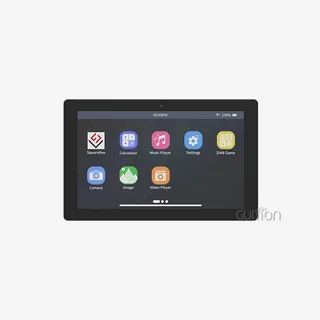 Guition JC1060P470C 7 inch ESP32-P4 (JC1060P470C_I_W_Y)7" 1024x600 MIPI-DSI panel (JD9165) with GT911 touch on an ESP32-P4, wired 100 Mbit Ethernet, Wi-Fi through its ESP32-C6, an ES8311 speaker codec, a TF card and RS485. Compiled, not yet seen on a board.ESP32-P4 · JD9165 1024 x 600 · GT911 touchTest my boardUpdate my C6
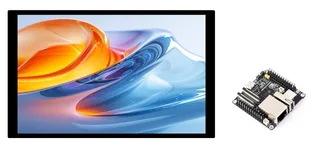 Waveshare ESP32-P4-NANO + 10.1-DSI-TOUCH-AWaveshare's 10.1" 800x1280 MIPI-DSI screen (JD9365) with GT911 touch on their ESP32-P4-NANO, whose backlight is a register on I2C. With the NANO's ES8311 codec, TF card, Ethernet and Wi-Fi through its ESP32-C6. Compiled, not yet seen on a bESP32-P4 · JD9365 800 x 1280 · GT911 touchTest my boardUpdate my C6Purchase this boardWaveshare ESP32-P4-NANO + 7-DSI-TOUCH-AWaveshare's 7" 720x1280 MIPI-DSI screen (ILI9881C) with GT911 touch on their ESP32-P4-NANO, whose backlight is a register on I2C. With the NANO's ES8311 codec, TF card, Ethernet and Wi-Fi through its ESP32-C6. Compiled, not yet seen on a boESP32-P4 · ILI9881C 720 x 1280 · GT911 touchTest my boardUpdate my C6Purchase this boardWaveshare ESP32-P4-NANO + 8-DSI-TOUCH-AWaveshare's 8" 800x1280 MIPI-DSI screen (JD9365) with GT911 touch on their ESP32-P4-NANO, whose backlight is a register on I2C. With the NANO's ES8311 codec, TF card, Ethernet and Wi-Fi through its ESP32-C6. Compiled, not yet seen on a boarESP32-P4 · JD9365 800 x 1280 · GT911 touchTest my boardUpdate my C6Purchase this board
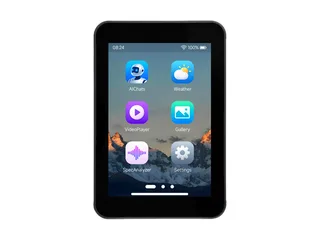 Waveshare ESP32-P4-WIFI6-Touch-LCD-3.53.5" 320x480 IPS LCD (ST7796, SPI), FT6336 touch, ES8311 audio, TF card, AXP2101, Wi-Fi through its ESP32-C6.ESP32-P4 · ST7796 / ST7796S 320 x 480 · FT6236 / FT6336U touchTest my boardUpdate my C6Purchase this board
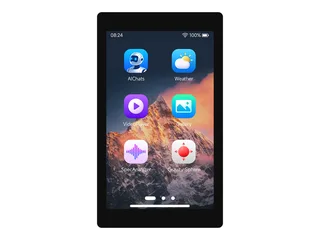 Waveshare ESP32-P4-WIFI6-Touch-LCD-4.34.3" 480x800 MIPI-DSI panel (ST7701) with GT911 touch on an ESP32-P4, an ES8311 speaker codec, a TF card, a camera connector and Wi-Fi through its ESP32-C6. Compiled, not yet seen on a board.ESP32-P4 · ST7701 (MIPI-DSI) 480 x 800 · GT911 touchTest my boardUpdate my C6Purchase this board
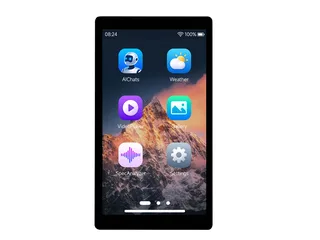 Waveshare ESP32-P4-WIFI6-Touch-LCD-55" 720x1280 MIPI-DSI panel (HX8394) with GT911 touch on an ESP32-P4, an ES8311 speaker codec, a TF card and Wi-Fi through its ESP32-C6. Compiled, not yet seen on a board.ESP32-P4 · HX8394 720 x 1280 · GT911 touchTest my boardUpdate my C6Purchase this board
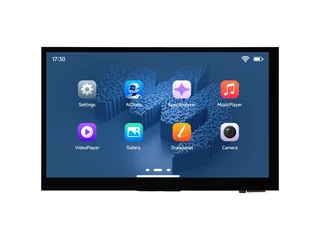 Waveshare ESP32-P4-WIFI6-Touch-LCD-7B7" 1024x600 MIPI-DSI panel (EK79007) with GT911 touch on an ESP32-P4, an ES8311 speaker codec, a TF card, RS485, CAN and Wi-Fi through its ESP32-C6. Compiled, not yet seen on a board.ESP32-P4 · EK79007 1024 x 600 · GT911 touchTest my boardUpdate my C6Purchase this board
What you see
Any of these on an ESP32-P4 board (Waveshare ESP32-P4-WIFI6, ESP32-P4-NANO, Elecrow CrowPanel Advanced P4, Guition JC1060P470C, VIEWE SmartDisplay P4) points at the C6’s firmware:
- A project from LCD Wizard prints
[wifi] the co-processor answers: ESP-Hosted of an unknown version, and this build was made with 2.12.11on the serial port, or a version whose first two figures are not those of the build. - ESP-Hosted itself logs
Response not received for [0x…](Req_GetCoprocessorFwVersion): the C6 is too old to answer the question “which version are you?”. - The Arduino core’s own log (with core debug on) says
Version on Host is NEWER than version on co-processor, orCould not get slave firmware version. - Wi-Fi works in part: a scan finds networks but a join never finishes, a request times out, or RPC time-outs
(
rpc_core) fill the log. - The board freezes, or restarts, as Wi-Fi starts.
A C6 that does not answer at all (the Wi-Fi co-processor did not answer on CLK 18, CMD 19 ...) is
another matter: the wrong pins, or no ESP-Hosted on it. See flashing it through its own UART.
Why it happens
The P4 talks to the C6 over SDIO. The C6 runs ESP-Hosted’s co-processor firmware; the P4’s firmware carries the matching host half, built into the ESP32 core. The two exchange messages whose shape changes between releases, so ESP-Hosted asks for the same major and minor version at both ends and warns of time-outs otherwise. Espressif recommend the very same version.
| Arduino core | ESP-Hosted it carries | What the C6 should run |
|---|---|---|
| arduino-esp32 3.3.11 (pioarduino 55.03.311, what LCD Wizard exports for) | 2.12.11 | 2.12.11 |
| arduino-esp32 3.3.12 | 2.12.13 | 2.12.x |
The C6 on a new board runs whatever its maker flashed when it was made. Waveshare’s ESP-IDF examples for their P4 boards were written for ESP-Hosted 1.4, and a C6 of that line does not even answer the version question, which is the “unknown version” above. So a board can be brand new and still out of step with the core.
The one-click fix: Update my C6
LCD Wizard builds a small updater for each ESP32-P4 board it knows. It carries the Arduino core’s own C6
image (esp32c6-v2.12.11.bin, the file the core ships beside its libraries) inside the P4’s
firmware, brings up the board’s own SDIO link to the C6 and writes the image across it through ESP-Hosted’s
update calls. Nothing is downloaded by the board, so it needs no Wi-Fi and no password.
- Open the board’s page under Boards (find your board above), in Chrome or Edge on a computer, and press Update my C6. It is also on the board’s card in the designer, beside Test my board.
- Plug the board in by USB and press Flash the updater. Choose the board’s port in the box the browser shows. The page writes the updater app to the P4 (the right build for its chip revision) and restarts the board.
- Read the board’s screen. The app connects to the C6 and shows its ESP-Hosted version against 2.12.11: up to date, older, unknown (old firmware) or not answering. Nothing has been written yet.
- Press Start update on the screen and confirm. The C6 is written with a progress bar, activated and restarted, and the new version is checked: a big green C6 updated to 2.12.11 when it worked. The browser page shows the same while the board is plugged in.
- Flash your own project again. The updater took its place on the P4; your saved Wi-Fi and settings are kept.
What the screen says
| On the screen | What it means |
|---|---|
| Green: Up to date | The C6 already runs 2.12.11. Nothing to do: flash your own project. |
| Amber: Older or Unknown (old firmware) | Press Start update. |
| Green: C6 updated to 2.12.11 | Done. Now flash your own project again. |
| Red: The C6 refused the update | Its firmware is too old to take an update over the link. Nothing was written and Wi-Fi works as it did. Flash it through its own UART. |
| Red: The write stopped part way | The C6 keeps its old firmware: it only switches once the whole image is in. Press Start update to try again. |
| Red: The C6 did not accept the image | It checked the image and refused it. It keeps its old firmware. Press Start update to try again. |
| Red: The C6 did not answer | Nothing was written. Wrong board, or no ESP-Hosted on the C6: flash it through its UART. |
Check version asks the C6 again, Test Wi-Fi lists the networks it sees (no password: it proves the radio works), Restart C6 restarts it with the board, and Details shows the log as it happens. The serial port at 115200 baud says the same, line by line, starting [c6].
The manual route: the core’s ESP_HostedOTA example
The Arduino core has its own updater: File > Examples > ESP_HostedOTA. It joins your Wi-Fi network
through the C6, downloads the image for the core’s version from espressif.github.io and writes it the
same way. It needs a C6 that already works well enough to join a network, your network’s name and password typed
into the sketch, and, where the board’s SDIO lines are not the core’s defaults, a
WiFi.setPins(...) line first (an LCD Wizard export’s README gives the board’s own line, under
The Wi-Fi co-processor).
When the link cannot do it: the C6’s own UART
A C6 that does not answer at all, or refuses the update, is flashed directly, as its board’s maker describes: on Waveshare’s P4 boards through the C6’s own UART pads with C6_IO9 held low and the P4 in download mode (their FAQ); VIEWE and Elecrow ship the C6 firmware with a tool or guide of their own. Use ESP-Hosted’s co-processor image of the core’s release.
Boards with an ESP32-C6 beside the P4
- Waveshare ESP32-P4-WIFI6-Touch-LCD-4.3
- Waveshare ESP32-P4-WIFI6-Touch-LCD-3.5
- Waveshare ESP32-P4-WIFI6-Touch-LCD-5
- Waveshare ESP32-P4-WIFI6-Touch-LCD-7B
- Waveshare ESP32-P4-WIFI6-Touch-LCD-10.1
- Waveshare ESP32-P4-NANO + 7-DSI-TOUCH-A, 8-DSI-TOUCH-A and 10.1-DSI-TOUCH-A
- Elecrow CrowPanel Advanced ESP32-P4 7 inch, 9 inch and 10.1 inch (one updater: the same board)
- Guition JC1060P470C
- VIEWE ESP32-P4 SmartDisplay 7 inch
Wi-Fi on a P4 in LCD Wizard is under Network, Wi-Fi on an ESP32-P4.
Questions
Why does my ESP32-P4 say "ESP-Hosted of an unknown version"?
The ESP32-C6 that gives the P4 its Wi-Fi runs ESP-Hosted firmware too old to answer the version request (Req_GetCoprocessorFwVersion). Update the C6 to the release your Arduino core carries: 2.12.11 for arduino-esp32 3.3.11.
Do I need Wi-Fi or a password to update the C6?
Not with Update my C6. The image travels inside the updater flashed to the P4 and goes to the C6 over the board’s own SDIO link. The core’s ESP_HostedOTA example does need Wi-Fi, because it downloads the image.
Can updating the C6 brick it?
The C6 writes the new firmware beside the old one and only switches once the whole image is in and has passed its checks, so a cable pulled half way leaves the old firmware running. A C6 too old to take an update over the link refuses at the start and nothing is written. A C6 can always be flashed again through its own UART.
Which ESP-Hosted version should the ESP32-C6 run?
The one your ESP32 core was built with: the same major and minor version is ESP-Hosted’s own rule, and Espressif recommend the very same. arduino-esp32 3.3.11 carries 2.12.11; 3.3.12 carries 2.12.13.
Does updating the C6 erase my project or saved Wi-Fi?
The updater replaces your project on the P4, so flash your own project again afterwards. Saved Wi-Fi and settings on the P4 are kept, and nothing on the C6 is yours.
How far this has been tested
The updater is built for every ESP32-P4 board above with the Arduino core 3.3.11 and compiled. As of October 2026 it has not yet been seen updating a C6 on a board: until it has, treat it as compiled, not proven. If yours ends in red, the screen and the serial port say why, and Report a problem on the designer’s title bar reaches the person who wrote it.