Accounts and limits
What needs an account, what a generation is, and what each plan includes.
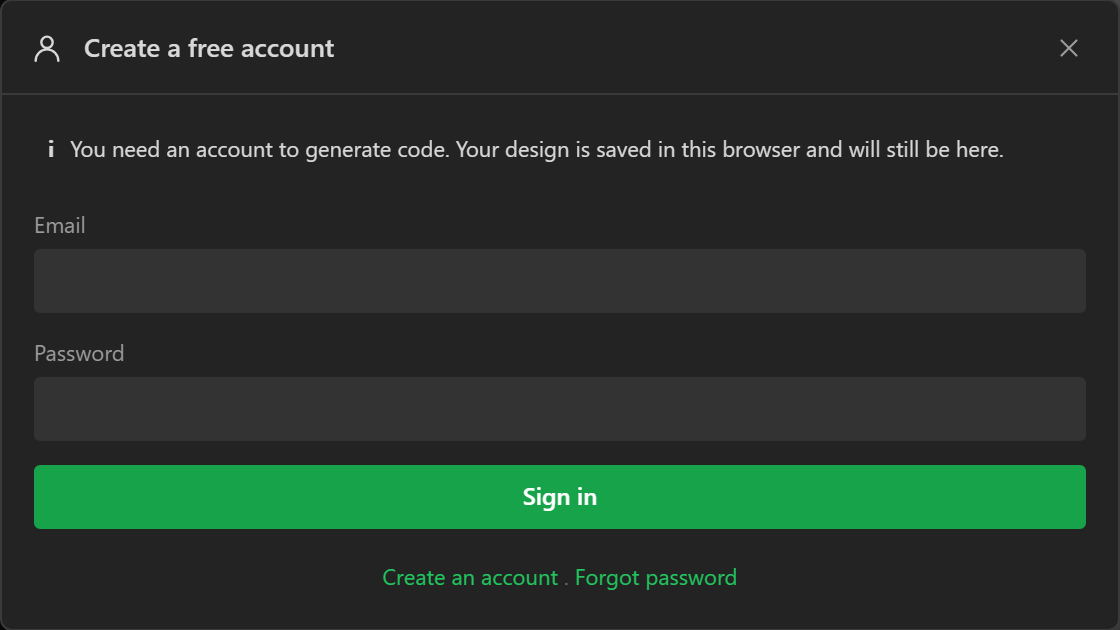
The designer runs without an account. Lay out screens, describe the hardware, preview and validate, and your work autosaves in the browser - none of that asks who you are. An account is needed for the handful of things that either cost server work or put a name against something public, and you are asked at the moment you try one, with the reason stated, and whatever you were doing carries on once you are in.
What needs an account
- Generating code beyond the guest allowance.
- Saving projects to your account, so they open from another machine.
- Publishing to the gallery, liking and commenting.
- Reporting a problem with the Report a problem button, because the answer is sent to your address. Troubleshooting says what a report carries.
Cloning from the gallery does not. Nor does downloading your project as a file, or opening one.
Two limits apply whoever you are: screens per project (three as a guest, five free, thirty on Pro - the designer asks you to sign in or upgrade at the point you add one past the cap) and, for accounts, saved projects on the server.
What a generation is
The metered unit is a code generation: one full build of a project's source files on the server. A build that fails validation is never counted. Downloading the zip of a build you have just run is part of the same generation. Everything else - designing, styling, wiring, previewing, validating, saving, opening, cloning - is free and unlimited.
Without an account
You can generate five times without registering, enough to see real output. This is a lifetime allowance, not a monthly one, and it is counted against your connection as well as your browser, so clearing site data does not reset it. The trade-off is that people sharing one address - an office, a campus, a phone behind carrier NAT - share one allowance, and the second person is asked to register. The privacy policy explains what is stored.
Plans
| Guest | Free | Pro | |
|---|---|---|---|
| Price | - | £0 | £49.99 once |
| Code generations | 5, lifetime | 15 per 30 days | Unlimited |
| Saved projects | - | 5 | 50 |
| Screens per project | 3 | 5 | 30 |
| Gallery, likes, comments | Browse and clone | Yes | Yes |
| Zip download | Yes | Yes | Yes |
The free allowance resets on a rolling thirty-day window from your first generation of the period. Unused generations do not carry over.
Nothing renews. Pro is a one-off purchase, not a subscription, and credit packs are bought outright. There is no card on file to forget about. Prices are shown excluding tax where tax applies; Stripe adds what is due at checkout based on where you are, and card details never touch our server.
Credits
A credit pack is ten generations for £2. Credits never expire and are spent only after the free allowance for the period is used up, so buying a pack early never wastes it. They suit somebody who occasionally needs more than fifteen in a month but not unlimited.
When you run out
Press Generate code with no free generations and no credits left and the designer says so before anything is sent, and offers the two ways on. Buy a credit pack, or Pro, through Stripe. Or invite a friend: the dialog shows your own invite link, and when somebody signs up through it, you get two credits every time they buy a credit pack and fifty if they buy Pro. An invite does not add credits on the day - it pays when your friend buys - so it is the way to never run out next time rather than the way to generate right now. The invites page has the full terms.
Paying does not lose your place. Whether you finish the checkout or cancel it, you come back to the designer with the export dialog open as you left it, your design untouched, and the new count shown. A payment can take a few seconds to reach your account after you return; the dialog says when it has arrived.
Storage
Everything your account keeps fits in one allowance: 20 MB on the Free plan, 100 MB with Pro. It counts your saved projects, their version history, your gallery copies and your saved boards. Each picture and font is counted once, however many of your projects use it. My projects shows how much is used.
When a save needs more room than is left, the oldest saves in version history make room first. Checkpoints stay, and so does the newest version of every project. If that is still not enough, the save is refused with a message saying how much it needs. Nothing is lost: the design stays in the designer, and in this browser. Delete projects or pictures you no longer need, or checkpoints you can do without, and save again.
A single design can be 8 MB at most, pictures included, on any plan.
Pro
One payment removes the generation limit for good and raises the project, screen and storage limits. It does not expire.
Pro month pass
One payment of £20 plus VAT where it applies gives an account everything Pro has for one calendar month. It does not renew. Buying another while one runs adds a month to the end. Your inbox in the designer reminds you 3 days before it ends, and again when it has.
When it ends the account is on the free plan again. Designs are all kept, firmware you built is yours, Pro features in a design are marked Pro and will not export until you have Pro again, and generations go back to the free monthly allowance.
While a pass runs, Pro for good is £79.99 instead of £49.99, however many passes you have bought. It is under Credits and Pro in the designer.
The terms set this out under Pro for a time.
Pro also keeps a version history of every project saved to your account, so a design cannot be lost by saving over it.
A Pro account is also let into the Supporters gallery, LCD Wizard's own private gallery of finished projects, with nothing to do: it is under Private galleries in the account menu.
Companies, labs and teaching
The plans are priced for one person. For seats, purchase orders and invoices, volume generation, self-hosting inside your own network, education or support with a response time, write to admin@lcdwizard.com - see the commercial section of the pricing page.
Signing up and in
Register with an email address and a password, or Continue with Google. The address must be confirmed before the designer will generate code for you: a link is emailed, and the export dialog offers to resend it. Sign-in persists across the site and the designer; sign out from the account menu. A forgotten password is reset by email from the sign-in prompt.
Your profile
Account menu > Edit profile: a nickname and a picture, which are what the gallery shows; your email is never displayed. Change your password there too - doing so signs out every other session.
Your projects
File > My projects (Ctrl+O) lists what is saved to your account, with open, rename, duplicate and delete. Save to account (Ctrl+S) saves over the open project; Save as new makes a separate copy. The browser copy autosaves regardless.
Version history
Part of Pro. Every time you save a project to your account, the server keeps the project as it was at that moment. That is a version. Like Git, it records only what changed since the version before, and a picture is kept once however many versions hold it, so history takes very little room. File > Version history lists the open project's versions, newest first. Each row says when it was saved and by whom, how many screens and widgets it held, and its size. Select one to see its first screen. A save that changed nothing keeps no version.
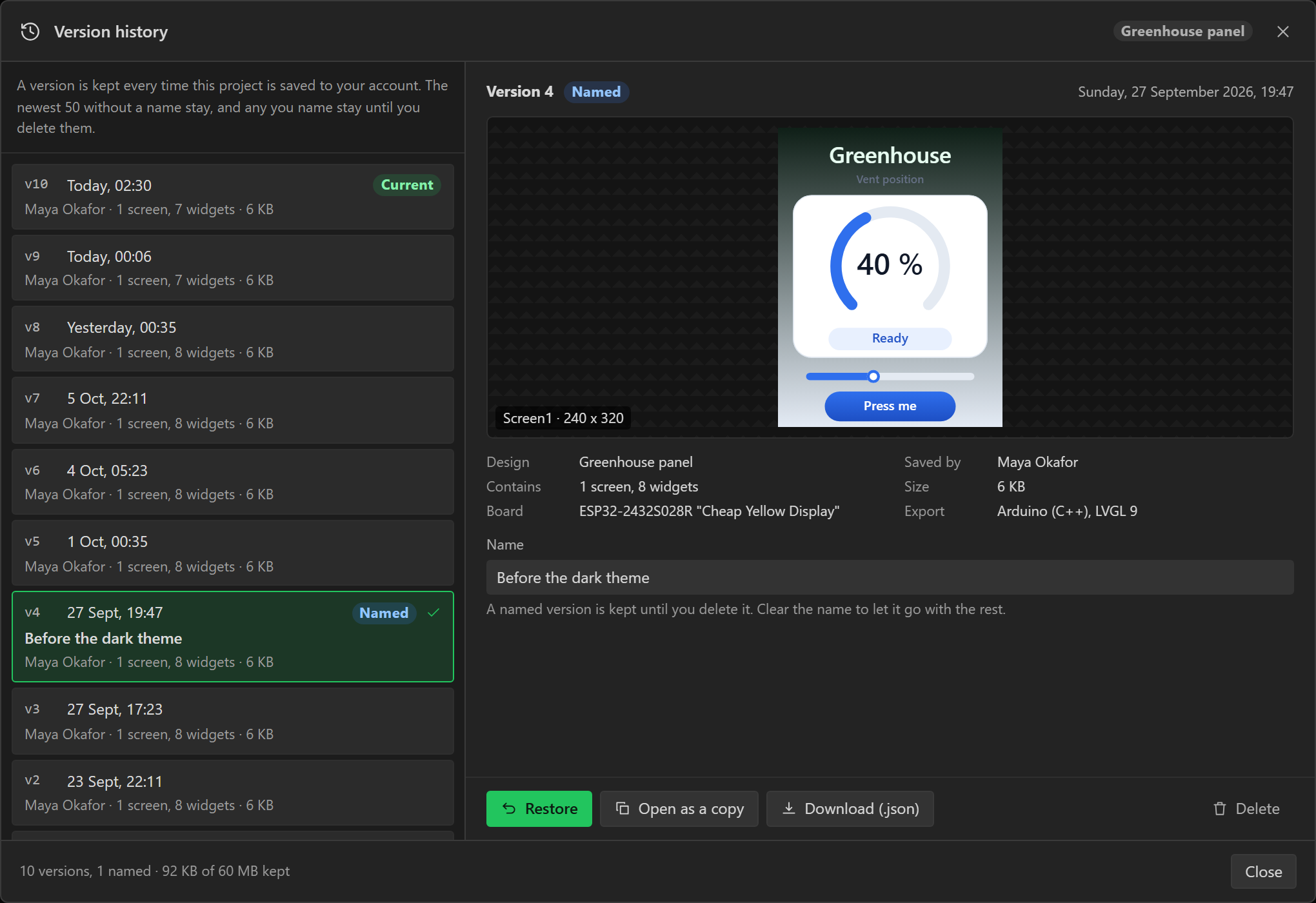
With a version selected:
- Restore makes it the project's saved design again and opens it in the editor. Restoring removes nothing. The restored design becomes the newest version and every other version stays in the list, so you can restore any of those in turn. If the editor holds changes you have not saved, the dialog offers Save first, then restore, which keeps them as a version too.
- Open as a copy opens the version as a new, unsaved design and leaves the saved project alone. Use it to compare two layouts, or to start again from an older one.
- Checkpoint name gives it a name of up to 80 characters, such as "Before the new menu" or "Sent to the client", which makes it a checkpoint: kept until you delete it.
- Download (.json) saves the version as a project file, the same format as File > Download project file.
- Delete removes that one version for good. The project and its other versions are untouched.
Create checkpoint, above the list, keeps the design as it is now under a name in one step, saving it to your account first if the editor holds changes you have not saved.
Restoring an older version undoes the recorded changes back to it, so it comes back exactly as it was saved, pictures and all.
The list is one stop for the Tab key. The arrow keys, Home and End move through it.
What is kept, and for how long
Each project keeps its newest twenty saves and every checkpoint, up to fifty checkpoints. History shares your account's storage, counting each picture once. When the account needs room, the oldest saves that are not checkpoints go first, from whichever project has them. The newest version of a project is never trimmed, and neither is a checkpoint. Deleting a project deletes its history.
Versions are kept from the first save after the account has Pro. A project saved before then opens as it always did and starts its history at its next save. On the Free plan no versions are kept, and the menu entry says that version history is part of Pro.
This is not the History tab beside the Inspector. That tab is the undo list for the current session, and a reload clears it. A version stays on the server until it is trimmed or you delete it.
Deleting your account
Account menu > Edit profile, then Delete account at the bottom. The designer first lists what will go, counted for your account, and asks for your password. An account that signs in with Google has no password, so it types its email address instead.
It deletes your saved projects, the designs you published with the likes and comments on them, and your own likes and comments on other people's designs. Pro and unused credits belong to the account and go with it. It cannot be undone.
Some things stay. The design open in your browser is untouched, and so is any project you
downloaded as .json, so download the saved projects you want to keep first.
Problem reports you sent are kept, without your name, your email address or the design
attached to them. Payment records are kept. A copy somebody else took of a design you
published is theirs. The privacy policy
has the full list.
Referral commission you have earned is not lost. Deleting the account raises a payout for everything you are owed, and it is paid to the PayPal address on your record on its due date, which is the end of its 28-day hold. The confirmation shows the amount, the address and the date before you agree. If there is no PayPal address on your record it says so, because there is then nowhere to send the money. Add one on the Invite and earn page first, or email us afterwards and quote your discount code.
If the account still has a Pro subscription from before Pro became a one-off purchase, it is cancelled with Stripe first. If Stripe does not confirm that, nothing is deleted and you are asked to try again. The same email address can register again afterwards, as a new and empty account.
Where the data goes
The privacy policy lists what is stored and for how long; the terms cover ownership - your designs are yours, and the generated code is yours outright with no attribution.