01
Every LVGL widget
28 widgets: buttons, sliders, arcs, charts, rollers, tab views, keyboards. Each with the style parts and states LVGL really has, not a simplified subset.
Free 5 code generations, no account needed
A visual LVGL GUI designer for ESP32, STM32 and RP2040 touchscreen displays. Lay out the interface, pick the panel and touch controller, wire in your sensors. Then pick how it leaves.
You draw in
LVGLIt leaves as
A complete Arduino project that compiles. The sketch, the driver config, lv_conf.h, the LVGL UI sources and a platformio.ini. Every board here, every widget, every sensor - and an STM32 or RP2040 if that is what you are on.
Files for lvgl_micropython. Flash the firmware once, then change a screen by editing a file on the board - no rebuild, no toolchain. ESP32, S2, S3 or C3 with an SPI panel.
One YAML file and one command. Nothing to install but ESPHome itself, and the panel turns up in Home Assistant with its readings and controls already wired - or runs standalone if you would rather it did not.
An idf.py project in C, on Espressif's own drivers. esp_lcd, the component
registry and LVGL 9, with nothing of Arduino in it. Build it with idf.py build
for any ESP32, S2, S3, C3, C5, C6 or P4 board. Part of Pro.
Runs in your browser. Nothing to install, and no account until you want one.
What it does
Designing the interface and bringing up the board are one job. LCD Wizard does both, and shows its work.
01
28 widgets: buttons, sliders, arcs, charts, rollers, tab views, keyboards. Each with the style parts and states LVGL really has, not a simplified subset.
02
36 display and 18 touch controllers, each mapped to the driver TFT_eSPI, LovyanGFX, Arduino_GFX or esp_lcd expects. The export writes TFT_eSPI's User_Setup.h or LovyanGFX's LGFX_Config.hpp from your pins.
03
Start from a board preset or set every pin by hand. Collisions, input-only, strapping and flash pins are flagged as you go, not when the board fails to boot.
04
Add I2C and SPI buses, environmental sensors, ADCs, IMUs and I/O expanders. Every configuration register a part exposes is in the inspector.
05
Bind a sensor reading to a widget through a conversion formula. The same expression drives the live preview and the code written into your firmware.
06
A complete Arduino or PlatformIO project: sketch, UI sources, lv_conf.h, driver config and
a library list. Or an ESP-IDF project in C for idf.py. Or
Python for lvgl_micropython. Or one
ESPHome YAML file that joins Home Assistant.
How it works
hardware
Hardware
Start from a known-good preset, or describe your own wiring pin by pin. Every preset says which revision it was checked against, because vendor pinouts move.
“Absolutely love the prebuilt hardware compatibility – haven’t seen anything else on the market that does this. Would have saved me WEEKS of work on my last project.”
Gallery
Designs people have published, with the hardware they run on. Open a copy and it is yours to edit.
Loading the gallery…
Pricing
Or £49.99 once for unlimited generations. Both are one-off payments, and nothing renews. Designing, previewing and saving are never charged.
Prices in GBP. Credits never expire. Read the full pricing details
How it compares
LCD Wizard beside the LVGL editors people weigh it against, from their own documentation, including where each of them is the better choice.
Questions
No. The designer runs in the browser. You need the Arduino IDE or PlatformIO to compile an Arduino export, ESP-IDF for an ESP-IDF export, or the lvgl_micropython build tools for MicroPython, but nothing to design with.
Yes. It designs LVGL screens the way SquareLine Studio does, with widgets, styles, states and events, and it runs in the browser. Besides the screens, the export writes the sketch, the driver config, the touch code, lv_conf.h and a platformio.ini for your board. It cannot open SquareLine project files. The side-by-side comparison covers price, LVGL versions and what each one exports.
Not to start. As a guest you get 5 code generations with no email address and no card. A free account adds 15 a month, saved projects and the gallery; it asks you to confirm your email because that monthly allowance is counted per account.
One full build of your project’s source files. Designing, previewing, validating, saving and reopening projects are free and unlimited. Only pressing Generate and getting files back counts.
Chosen when you start a project, because it decides which boards and widgets the designer
offers. Arduino covers every board and every peripheral, and is the one to pick if
you are unsure. ESP-IDF is Espressif's own framework, for Espressif chips only: a
C project with no Arduino layer, built with idf.py, and part of Pro –
what it supports.
MicroPython covers ESP32 boards with an SPI panel and lets you edit
the UI on the board –
what it supports, and what it costs in flash. ESPHome
writes one YAML file, needs no compiler on your machine, and can publish the widgets you
bind as Home Assistant entities –
what it supports.
LVGL 8.3 or 9 for Arduino, chosen per project; the generator handles the API differences. ESP-IDF is LVGL 9.4. MicroPython uses lvgl_micropython, which is LVGL 9.4. ESPHome bundles LVGL 9.5.
Choose Custom and set the pins yourself: every preset is a shortcut to the same fields. Pro accounts can save their own boards as My boards and start every later design from them. If your board, display or touch controller is missing, ask for it in the forum's Board issues section or in board-requests on our Discord, or email admin@lcdwizard.com with the datasheet, and we will add it.
You do. What the generator produces is yours for any purpose, with no attribution requirement and no runtime tied back to us.
About
LCD Wizard is built and run by lcdwizard.com: one developer, a bench full of display boards, and an email address that gets read.
admin@lcdwizard.com is the one address for support, pricing, licensing and anything legal.
The server, the domain and the boards on the bench are paid for by the people below. If LCD Wizard has saved you an evening, a coffee keeps it running.
Buy me a coffee (opens in a new tab)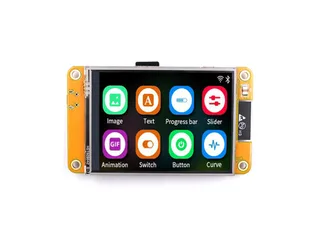 CYD 2.8"Photo: Makerfabs
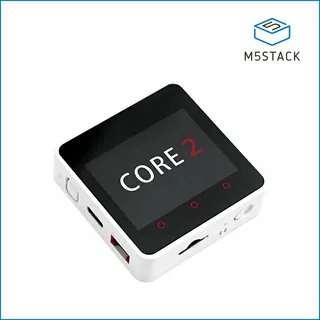 Core2Photo: M5Stack
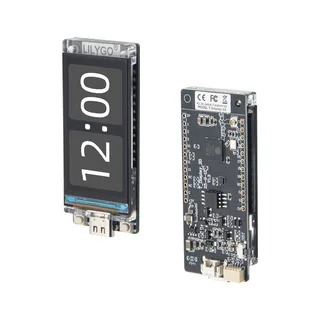 T-Display S3Photo: LilyGO
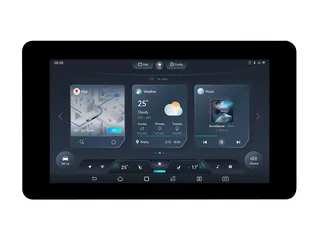 ESP32-S3 7"Photo: Waveshare
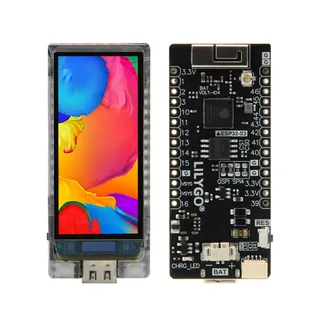 AMOLED S3Photo: LilyGO
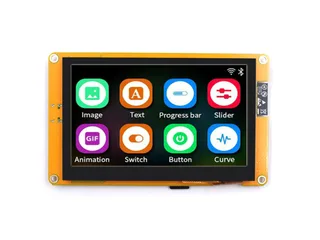 Sunton 4.3"Photo: Makerfabs
Design its interface in the next ten minutes, in the browser, with nothing to install.
Open the designer