Images, fonts and icons
From a PNG on your desk to an LVGL image on the board, and where it lives when it gets there.
An image goes in as a PNG and comes out as an LVGL binary image, either on the board's filesystem or compiled into the firmware. The conversion is built in: there is no separate converter step, and no upload of your images to us - the browser decodes them, and only the pixels needed for the export travel to the server when you generate.
Importing
File > Import image asset, or the button on the Assets tab. PNG, JPEG, GIF, WebP and BMP are accepted, because those are what a browser canvas can decode; an animated GIF contributes its first frame here - to have every frame, add it to an Animation, which takes it apart and keeps its frames together as one tile here. A picture of many frames on a grid can be made a spritesheet instead, for a Sprite to play. The image appears in the Assets list and becomes selectable in every Image and Image Button widget's asset field.
Per-image settings
| Setting | Meaning |
|---|---|
| Stored in | Filesystem (a .bin under data/) or C array (compiled in). |
| Colour format | RGB565, RGB565A8, ARGB8888 or L8 - see below. |
| File name | The name on the filesystem, e.g. logo.bin. Two assets cannot share one. |
| C symbol | The identifier of the compiled-in array, when Stored in is C array. |
Colour formats
| Format | Bytes per pixel | Use it for |
|---|---|---|
| RGB565 | 2 | Photos and opaque graphics. The panel's native format, so no conversion at draw time. |
| RGB565A8 | 3 | Graphics with transparency - icons, logos on a coloured background. Full colour plus an 8-bit alpha. |
| ARGB8888 | 4 | When you need true colour and alpha and can afford the size. Converted per pixel on a 16-bit panel. |
| L8 | 1 | Greyscale. Small, and fine for monochrome icons or an OLED. |
The designer warns when an image with transparency is set to RGB565 or L8, since the alpha channel would be discarded, and it tracks the total against the partition size. Indexed and 1/2/4-bit formats are not offered.
Where the images live
Filesystem is the default. Each image becomes a .bin under
data/ in the export, flashed to the board separately from the sketch; a generated
ui_fs.cpp registers the filesystem with LVGL as a drive letter and every widget refers
to its image by path:
lv_image_set_src(ui_Logo, "S:/logo.bin");ui_fs_init() runs from setup() before the UI is built and prints a
warning on the serial monitor for any file it cannot find, so a missing upload is obvious rather
than an empty box.
C array compiles the image into the firmware as a const uint8_t[] with an
lv_image_dsc_t descriptor, referenced as &symbol. Nothing to upload,
but every byte counts against the application partition. Right for a few small icons; wrong for
a full-screen background.
The filesystem
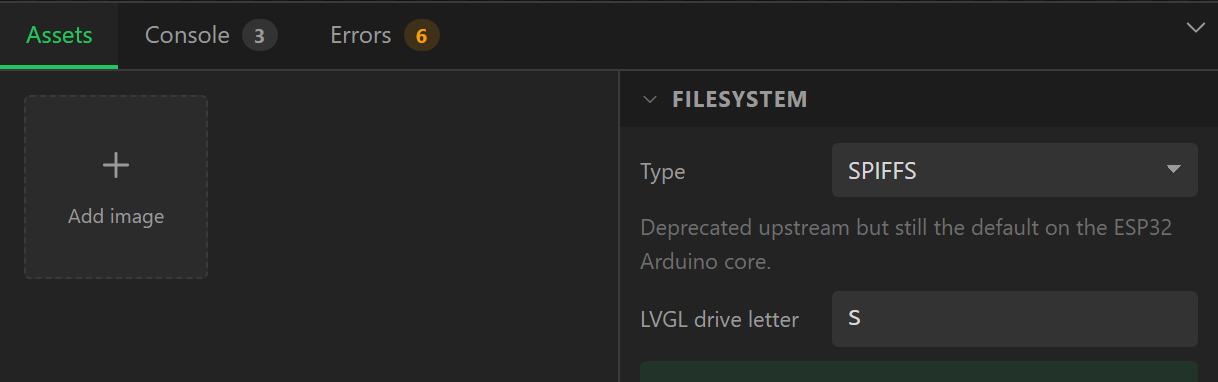
The Assets tab's Filesystem block picks the type and the LVGL drive letter for the whole project:
| Type | Note |
|---|---|
| SPIFFS | Deprecated upstream but still the default on the ESP32 Arduino core, and what the older upload plugins write. |
| LittleFS | Faster, wear-levelled, and the better choice on a new project. What the current Arduino IDE 2.x plugin uploads. |
| FFat | Needs a FAT partition. Worth it only for large or frequently rewritten data. |
| SD card | Assets live on the card, so they can be swapped without reflashing. Needs an SD peripheral on the Devices tab. |
The budget shown against the images is the filesystem partition the export writes into
partitions.csv, set by the module's flash size and the
Partitions setting on the Board tab: 896 KB
on a 4 MB ESP32 with Big app, 1.9 MB with Half and half, 3.9 MB or 7.9 MB on 16 MB. An SD card
is treated as unlimited. Flashing and configuration covers
uploading the filesystem image.
Header formats, for the curious
LVGL 8 and 9 use different binary headers and the generator writes the right one for the
project's version. LVGL 9 has a 12-byte header (magic, colour format, flags, width, height,
stride) and stores RGB565A8 as a colour plane followed by a separate alpha plane. LVGL 8 packs
the header into one 32-bit word, interleaves alpha per pixel, and - when the driver has
LV_COLOR_16_SWAP set, as TFT_eSPI and LovyanGFX do - wants the RGB565 bytes
big-endian. If you switch LVGL version, re-export; the .bin files are not
interchangeable.
Fonts
Every widget's font is chosen under Style settings > Text > Font: a family, a style where the family has more than one - Regular, Bold, Italic - and a size. The Theme tab's Default font uses the same control and is what every widget without a font of its own draws with, on the canvas as on the board.
Montserrat is built into LVGL, at every even size from 8 to 48. The canvas draws it with
the same Medium cut LVGL uses, so a line of text is within a few per cent of its width on the
panel. The sizes a design uses are switched on in lv_conf.h for you.
The font library
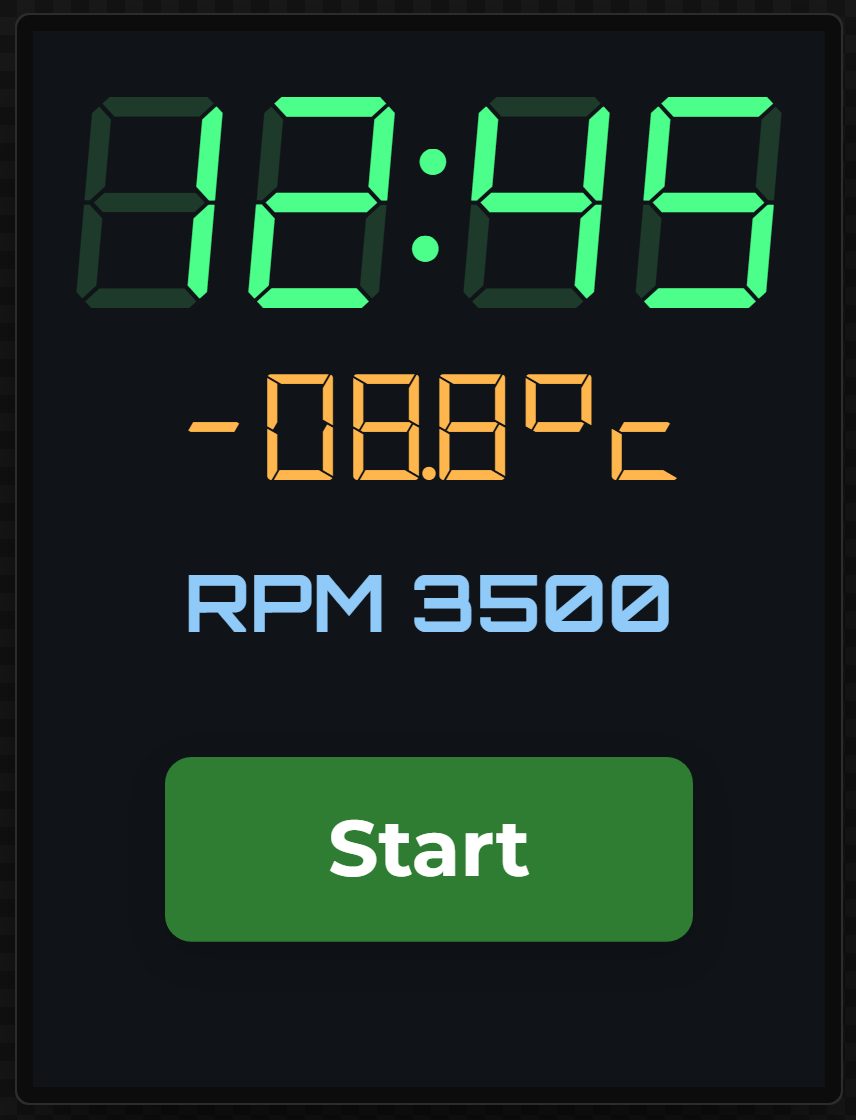
Beside Montserrat is a library of fonts already converted for LVGL - seven-segment and fourteen-segment display faces, a bold Montserrat for headings and button captions, and a few text and technical faces. Every one is free, under the SIL Open Font License 1.1, which allows it to be built into firmware and shared with a design.
| Family | Kind | Styles | Sizes (px) | Original |
|---|---|---|---|---|
| Montserrat | Built into LVGL | Regular (LVGL's Medium cut) | 8 to 48, even sizes | Montserrat |
| Seven-segment Classic | Segment display | Regular, Bold, Italic | 16, 20, 24, 32, 40, 48, 64, 80, 96 | DSEG by keshikan |
| Seven-segment Modern | Segment display | Regular, Bold | 16, 20, 24, 32, 40, 48, 64, 80, 96 | DSEG by keshikan |
| Fourteen-segment | Segment display | Regular | 16, 20, 24, 32, 40, 48, 64 | DSEG by keshikan |
| Roboto | Sans serif | Regular, Bold | 10, 12, 14, 16, 18, 20, 22, 24, 28, 32, 36, 40, 48 | Roboto by Christian Robertson |
| Oswald | Sans serif | Medium | 16, 20, 24, 32, 40, 48, 64 | Oswald by Vernon Adams |
| Roboto Mono | Monospace and technical | Regular, Bold | 12, 14, 16, 20, 24, 32, 40, 48 | Roboto Mono by Christian Robertson |
| Orbitron | Monospace and technical | Medium, Bold | 12, 14, 16, 20, 24, 32, 40, 48 | Orbitron by Matt McInerney |
| VT323 | Monospace and technical | Regular | 16, 20, 24, 32, 40, 48 | VT323 by Peter Hull |
Picking one from the Font control is all it takes. The export copies each font and size the
design uses into src/ui/fonts/ as a C file, declares it in ui_helpers.h,
switches on LV_USE_FONT_COMPRESSED in lv_conf.h - the fonts are
compressed, and without that switch they would compile and then draw nothing - and writes
src/ui/fonts/LICENSES.md with each font's licence and credit. Keep that file with the
fonts if you share the firmware or the project.
Only the sizes you use cost flash. The seven-segment face is 16 px 2.7 KB, 32 px 5.8 KB, 48 px 9.4 KB, 96 px 23.6 KB; Montserrat Bold is 14 px 3.9 KB, 20 px 6.4 KB, 32 px 11.5 KB. The Theme tab's Fonts in use lists every font the export will include with its size.
Characters. Each library font carries printable ASCII plus ° ± ² ³ µ × ÷ £ € •
where the original has them. Anything else - an accented letter, or a % in a
seven-segment face, which only has digits, a segment-drawn alphabet, : - . and
space - is drawn from Montserrat instead, because each library font falls back to the nearest
Montserrat size the design already uses - so the fallback never adds a large Montserrat to the
firmware on its own. That fallback is also what keeps LVGL's own symbols, the dropdown arrow and the
checkbox tick, working with a library font. The validator names the characters a widget's text
uses that its font does not have.
Seven-segment tips. A colon is as wide as a digit and a full stop takes no width, so
12:45 and 21.5 line up like a real display. ! is a digit
with every segment off and 8 one with every segment on: put a dim label reading
88:88 behind a bright one to get the unlit segments of an LCD.
Importing your own font
The Fonts tab in the bottom panel takes a font of your own: a TTF, OTF or WOFF file of up to 1.5 MB (3 MB for all of a project's imports together, eight fonts at most). A static file of one style - Inter-Bold.ttf rather than a variable Inter[wght].ttf - is usually a few hundred kilobytes. WOFF2 cannot be converted for LVGL, so use the TTF from the same download.
Free licences only. The designer reads the licence the file itself states. A font under the SIL Open Font License, Apache 2.0, the Ubuntu Font Licence, CC0 or MIT is accepted and says so. A font whose licence restricts it - the fonts that come with Windows or macOS, a "free for personal use" download, anything behind an EULA - is refused, with the words from its licence that caused it. A font whose file names no licence is kept, but cannot be exported until you choose its free licence and confirm it; check the page you downloaded it from. The server reads the licence again when you export, so this cannot be sidestepped. Google Fonts and Font Squirrel's free list are good places to look.
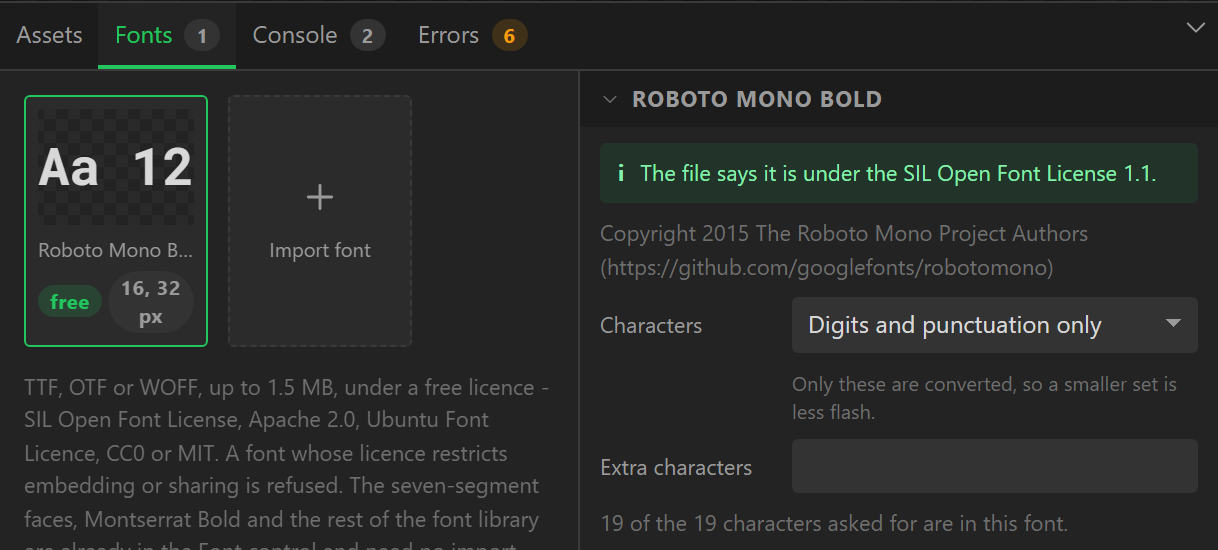
An imported font appears in the Font control under Imported - beside a library font of the same name, marked "(imported)" - at any size from 8 to 120 px, and the canvas draws it from the file you imported. For each font you choose the Characters it is converted with - Basic Latin, Western European, European (Latin Extended-A), Greek, Cyrillic, or just digits and punctuation for a readout - plus any Extra characters. The tab says how many of them the font actually has; the rest are drawn from Montserrat, as for a library font. Fewer characters means less flash.
At export the server converts each imported font at the sizes the design uses, with the
same converter as the library, into src/ui/fonts/ui_font_my_<name>_<size>.c,
and adds it to src/ui/fonts/LICENSES.md with its copyright, its licence and, for the SIL
Open Font License and Apache 2.0, the licence text. Conversion happens once per font and size;
exporting the same design again reuses it.
The font file is saved with the project, so it travels with a saved project, a downloaded project file and a published gallery design - which is exactly why only free fonts are taken. Removing a font from the Fonts tab puts every widget that used it back on Montserrat at the nearest size.
Icons
The designer has an icon library of 446 outline icons - power, play and pause, Wi-Fi and signal bars, battery levels, a thermometer, a droplet, a fan, a snowflake, home, settings, a bell, arrows and chevrons, and a few hundred more - ready to put on a button, down the side of a menu or beside a reading. They need no import and no conversion step.
No attribution, no licence to carry. 430 of them are System UIcons by Corey Ginnivan, released under the Unlicense, which puts them in the public domain. The other 16 were drawn for LCD Wizard in the same style, for what a control panel needs and that set lacks - power, play, pause, stop, skip, thermometer, droplet, fan, snowflake, wind, timer, plug, music, chip and SD card - and are released the same way. Nothing has to be credited anywhere: not on the screen, not in the firmware, not in the project.
In an ESPHome project there is a second set: Material Design Icons, the 7,200 or so that Home Assistant uses, chosen by name from a viewer of their own under the picker and on the Icons tab. They are under the Apache License 2.0, which does ask to be passed on, and ESPHome fetches their font itself - see Material Design Icons. In an Arduino or a MicroPython project that way in is shown greyed, with the reason.
Using an icon
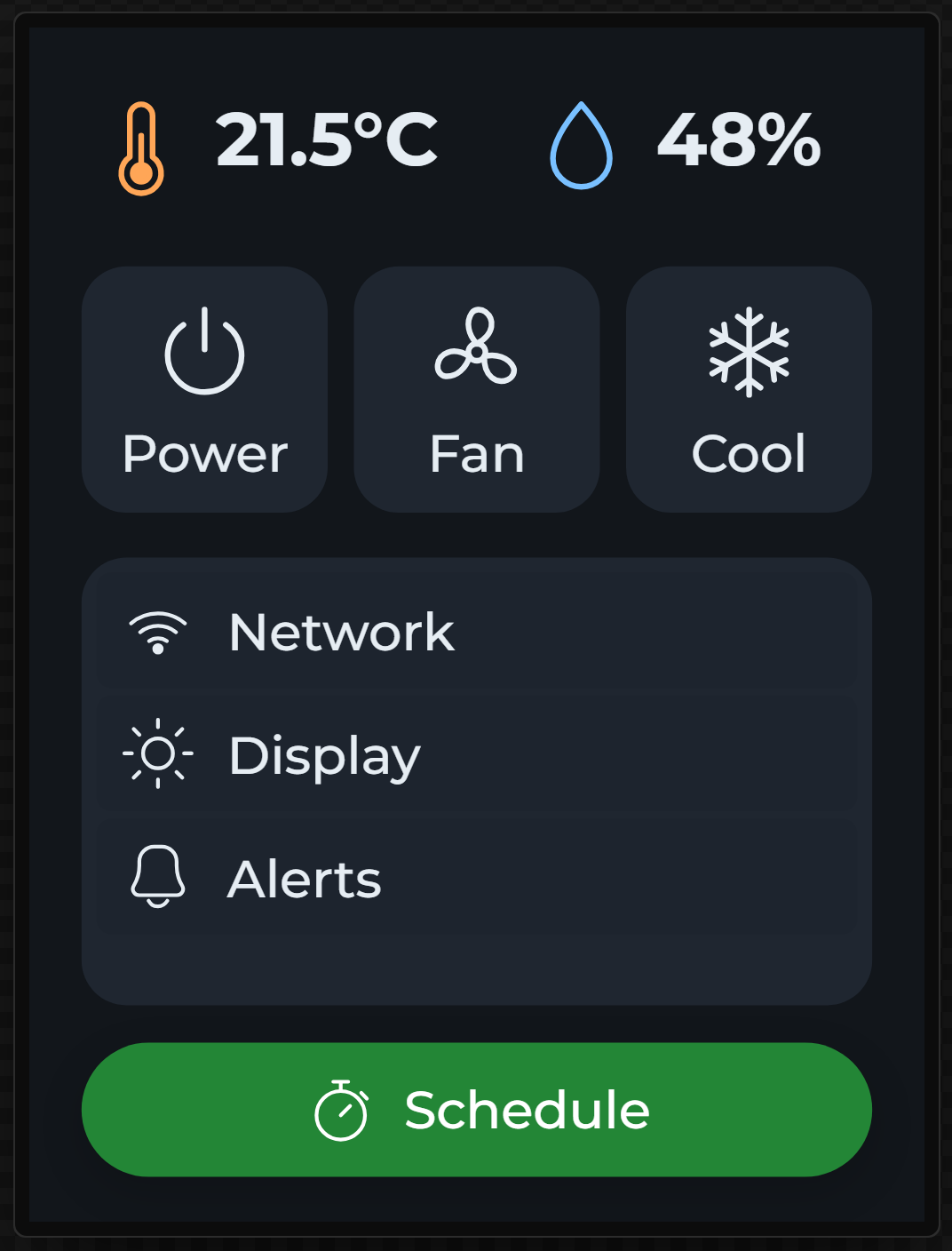
- The Icon widget (Widgets panel, Basic) shows one icon. Its Size is its width and height - drag a corner and the icon grows with it - and its colour and opacity are the Text colour and opacity under Style settings, in every state.
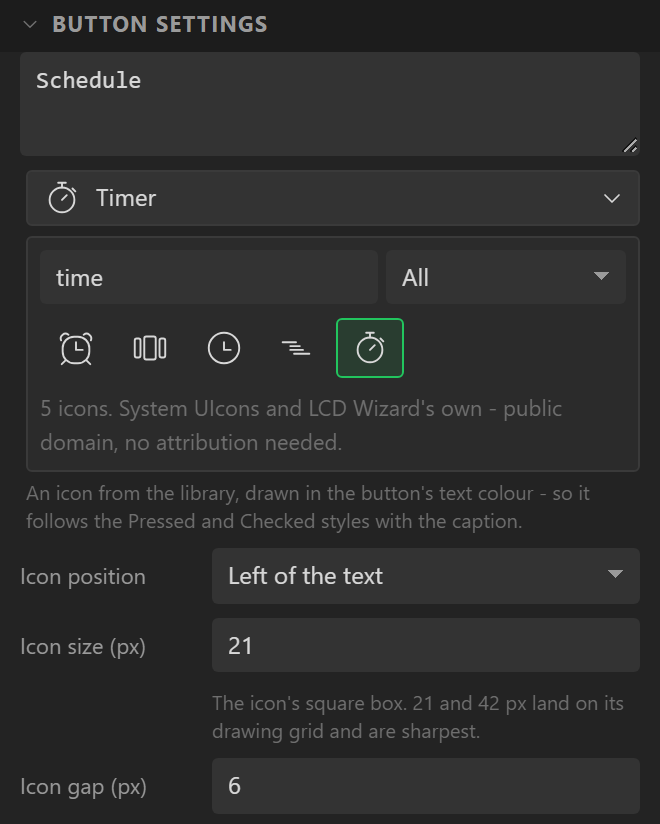
- On a button, choose an Icon in its settings and it is drawn beside the caption, Left of, Right of, Above or Below it, at its own Icon size and Icon gap. Leave the caption empty for an icon-only button. The icon is in the button's text colour, so a Pressed or Checked text colour changes the icon and the caption together.
- In a List, start an item with the icon's name in colons:
:wifi: Network. The list's Icon size sets the size for all its items. A name the library does not have is left as typed, and the validator says so.
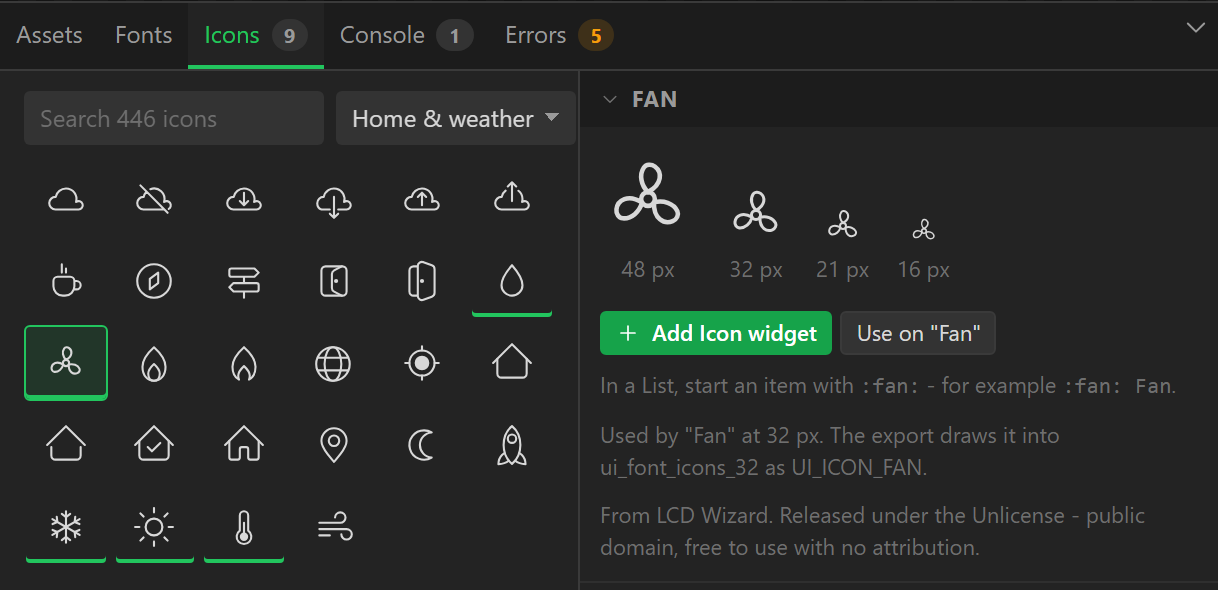
The picker in the inspector searches by name and by what an icon is for - temperature finds the thermometer, gear the settings cog, delete the bin. The Icons tab in the bottom panel is the same library as a browser: pick an icon to see it at 64, 48, 32, 21 and 16 px, then Add Icon widget or Use on the selected button or Icon widget (or double-click it to add it straight to the screen). Icons the design already uses are underlined, and the tab says which widgets use each one.
Sizes
Any size from 8 to 160 px. The icons are drawn on a 21 px grid with 1 px lines, so 21, 42 and 63 px land exactly on their grid and are the sharpest; 16, 24 and 32 px look good too. Lines thinner than a pixel at small sizes are drawn at full strength rather than grey, so a 16 px icon still reads on a small panel.
On the device
An icon is a character. For each size the design uses, the export draws the icons used at
that size into one LVGL font, src/ui/fonts/ui_font_icons_<size>.c, and shows each
one on a label in that font - which is why it takes the text colour, and why it follows a button's
states. Only those icons are in the firmware: a font of a handful of icons is a few kilobytes. Both
LVGL 9 and LVGL 8 are supported, and the fonts need no lv_conf.h switch.
ui_helpers.h names every icon the design uses, so your own code can show one too:
lv_obj_t * status = lv_label_create(lv_screen_active());
lv_obj_set_style_text_font(status, &ui_font_icons_32, 0);   /* a size the design uses */
lv_label_set_text(status, UI_ICON_WIFI);                      /* an icon it uses */
An icon the design does not use is not in any font, and draws nothing - add it to a widget,
even a hidden one, to have it exported. On a button the icon and caption sit together in a small
row (ui_<Name>_content) that is centred in the button, so the pair stays centred
whatever the caption says.