The gallery
Publishing a design, cloning somebody else's, and what the card can and cannot claim.
The gallery is where designs are shared. It is on the site at /gallery,
each design has a permalink at /p/<slug>, and it is reachable inside the designer
from the Gallery menu. Anyone can browse and anyone can clone; an account is needed to publish,
like or comment.
Publishing
Gallery > Publish this project (or File > Publish to gallery). The project must be saved to your account first, because publishing takes a copy of the saved version. The dialog asks for:
| Field | Notes |
|---|---|
| Title | What the card is called. |
| Description | What it does, what it runs on, anything a person cloning it should know first. |
| Technical notes | Wiring quirks, power requirements, which library versions you built against. |
| Tags | Comma separated, up to eight. Searchable. |
Below those, Detected automatically shows what the card will say about the hardware - board, MCU, panel controller, resolution, touch controller, graphics library, LVGL version, peripherals and required libraries. These are read from the project by the server and cannot be edited, so a listing cannot claim hardware it does not target.
Publishing is a copy
What visitors see and clone is frozen at the moment you publish. You can keep editing without the gallery entry shifting under people who have already looked at it. When you want the public copy to catch up, open the publish dialog again and use Push current version. The same dialog shows whether the entry is visible, copies its link, and removes it from the gallery (which does not delete your project).
What a card shows
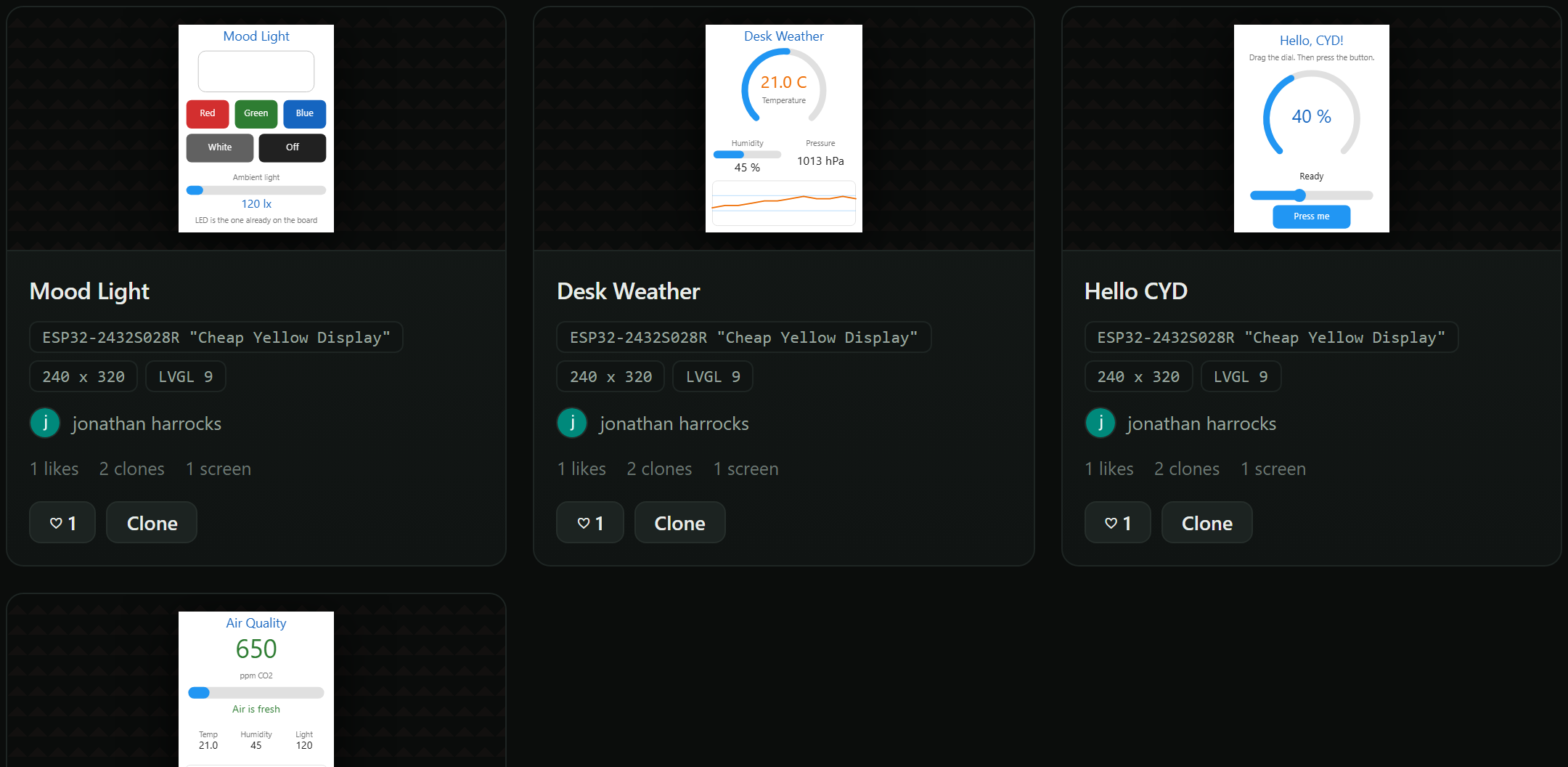
The title, the author's nickname and avatar, the hardware summary, the tags, and a preview of each screen. Previews are fixed pictures rendered on the server from the design, not live widgets: a multi-screen project shows its first screen with a dot for each of the others. Pointing at the picture steps through them, and the dots switch screens from a keyboard or a finger; nothing moves on its own. Nothing in the preview is interactive, which is also why it is safe - the markup on a gallery page is ours, not the author's.
Browsing
Sort by trending, most liked, most cloned, most viewed or newest. Search matches the title, description, author and tags. A card opens the design's page with the full description, the technical notes, every screen, the hardware block, likes, comments and Open a copy in the designer.
Filtering
Two rows of filters sit above the grid: Built for - Arduino (C++), MicroPython or ESPHome - and Board. Both are read off the design by the server rather than typed by its author, so a filter cannot be gamed, and both only ever offer values something is actually published for. The number beside each says how many designs you would get.
The two combine, and picking one narrows the other: choose ESPHome and the board row shrinks to the boards that have an ESPHome design. The counts in the row you are using keep showing the whole picture, so they tell you where else you could go rather than restating where you are. Press a chosen value again, or Clear filters, to go back.
Filters live in the address bar, so a filtered gallery is a page you can link to or bookmark -
/gallery?target=esphome, /gallery?board=cyd-2432s028r, or both. Every
board page links to its own, and the same filters are in the designer's
gallery window.
The target matters more than it looks. A design is locked to the toolchain it was made for and a copy inherits it, so filtering by Built for is really asking "what could I flash today" - there is no converting an Arduino design into an ESPHome one afterwards.
Sharing a design
A link to a design's page shows its own preview wherever it is pasted - Discord, Slack, X, LinkedIn - with the first screen beside the title and the board. Under Link to it the page gives markdown for a small designed with LCD Wizard badge that links back to the design, ready for a GitHub README or a forum post. Designs published for a board are also listed on that board's page under Boards.
Cloning
Open a copy - on a card or a design's page - drops an editable copy of the design into the designer, leaving the original untouched. Signed in, the copy is saved to your account and opened; not signed in, it opens in the browser like any other unsaved project. The gallery exists so people can take designs apart, so there is no sign-up wall in front of that.
Likes and comments
Signed-in visitors can like a design once and leave plain-text comments. A comment can be edited or removed by its author, removed by the owner of the design, or removed by an administrator - a project owner moderates their own page. Comments are shown as text, never as markup.
Your name on it
Your nickname and profile picture (Account menu > Edit profile) are what appear on anything you publish or comment on; your email address never does. A picture is centre-cropped and scaled to 256 px in your browser before upload, and SVG is refused because an SVG can carry script. Renaming yourself renames you on every design and comment at once.
Licence
By publishing you let anyone use and adapt the design, and you confirm it is yours to give - see the terms. Copies already taken remain with the people who took them if you unpublish.