Firmware update
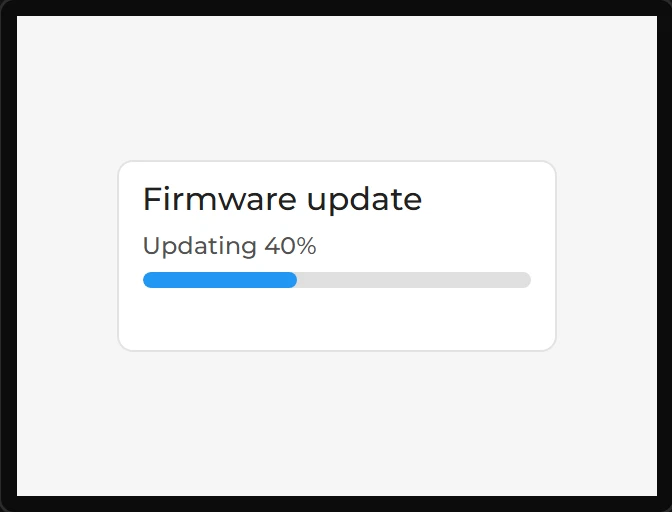
A page that takes a new build of the firmware over the network and writes it to the board, so the next version needs no cable. On a screen it is a card that says where the page is and, while an update arrives, how far it has got. A design has one. Arduino export, on an ESP32 with PSRAM.
| Setting | Default | What it does |
|---|---|---|
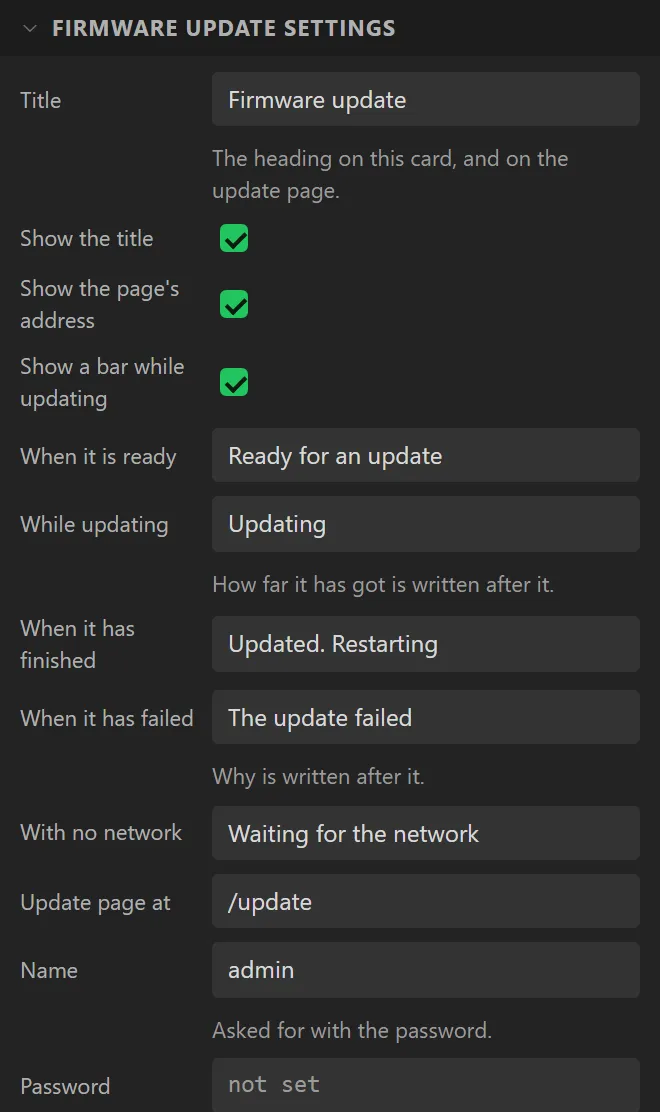
| Title | Firmware update | The heading on the card and on the page. |
| Show the page’s address | on | Under the words it says when it is ready. |
| Show a bar while updating | on | The canvas draws the card part way through an update, so that there is a bar to style; tried out, it is waiting, as a board is when it starts. |
| When it is ready / While updating / When it has finished / When it has failed | The words for each. How far it has got is written after the second, and why after the fourth. | |
| Update page at | /update | The page’s address. |
| Name, Password | admin, none | Asked for before any firmware is taken. It has to have a password: the Problems tab refuses a design whose update page has none. |
| Restart when it has finished | on | Off, the new firmware runs the next time the board starts. |
| Port, Name on the network | 0, none | As a Web server’s. In a design with both, the Web server’s are the ones used. |
Three things follow from having one, and the designer does each for you. The page is served over HTTPS, always, and so is a Web server in the same design. The widget is offered only on a board with PSRAM. And the board keeps two copies of its firmware - the one running and the one arriving, which it starts from only once all of it is written and checked - so each has half the room one would have had. The Problems tab says how much that is; on a 4 MB module with the Big app layout it is 1.5 MB.
The file to send is the app itself: .pio/build/<env>/firmware.bin from
PlatformIO, or from the Arduino IDE Sketch > Export Compiled Binary, which writes
<sketch>.ino.bin. Before a byte is written the board checks that what is
arriving is an app built for its chip: a merged image or a bootloader - which begin the same way,
and would leave a board that will not start - is refused, and so is firmware for another chip.
What it cannot check is that the firmware is for this board. One built for a different panel is written and started, and shows nothing; there is no going back to the old one without a cable. The first firmware goes on by cable too: the two copies are part of the partition table, which only a cable can write.
A variable can read whether an update is arriving and how far it has got, and the card has three events: Update started, Update finished and Update failed. Like the Web server, it is compiled and has not been run on a board.
Example: on an ESP32-S3 with PSRAM
- Start on a board with PSRAM: the LCDWIKI 2.8" ESP32-S3 (ES3C28P) here. On a board without it the palette greys the widget and says why.
- Drag a Firmware update onto the screen. The Problems tab refuses the design until it has a Password: type one under its settings.
- Add a WiFi Setup, so that the board is on a network a browser can reach it over.
- Upload the first build by cable. After that, open the page at the address the card shows and send it the next build.