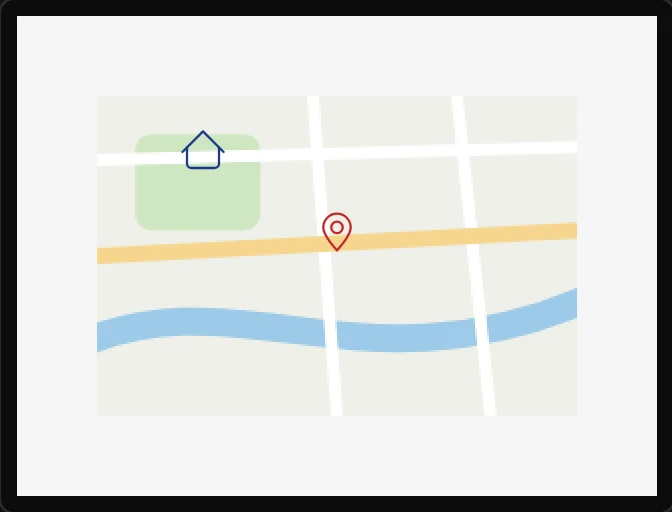
Map
A picture of somewhere, and things placed on it by where they are in the world. The picture is yours - a screenshot or an export of a map you may use, added on the Assets tab at the size of the widget - and the map is told the latitude of its top and bottom edges and the longitude of its left and right. Anything put inside it as a Map marker then has a latitude and a longitude instead of an x and a y. Arduino export.
| Setting | Default | What it does |
|---|---|---|
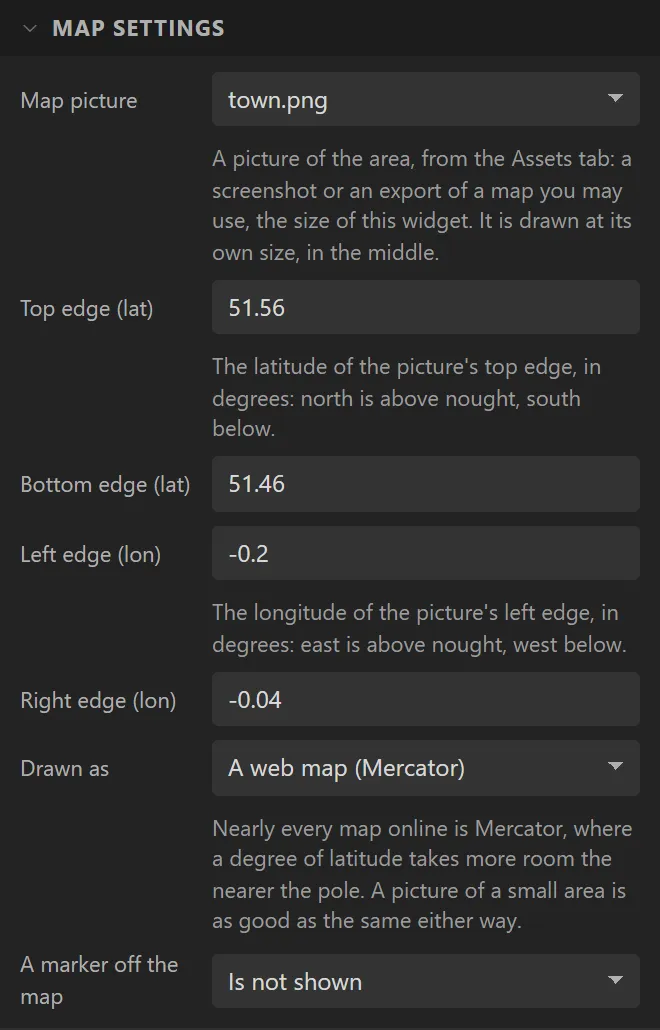
| Map picture | none | The image behind the markers. It is drawn at its own size, in the middle: make it the size of the widget, and the Problems tab says when it is not. With none, the map is its background colour. |
| Top edge / Bottom edge | 51.56 / 51.46 | The latitudes of the picture’s top and bottom, in degrees. North is above nought. |
| Left edge / Right edge | -0.2 / -0.04 | The longitudes of its left and right. East is above nought. A map that crosses the date line has its right edge west of its left - 160 and -140 - and is read that way. |
| Drawn as | A web map | Mercator, which nearly every map online is - a degree of latitude takes more room the nearer the pole - or evenly spaced degrees. Over a town the two are as good as the same; over a continent they are not. |
| A marker off the map | Is not shown | Or stops at the edge it would have gone past, kept whole on the map, so that it still says which way. |
There is no map server in this, on purpose. A live map needs one - a key, a bill, a network, and terms that say what a product may and may not do with the tiles. A picture has none of those, is drawn at once, and works in a field. To find the edges of a screenshot, read the corners off the map you took it from: most show the coordinates under the pointer.
A dropped map has no padding and no border, because markers are placed inside those and the picture is not: with either, the two are out of step by that much.
A picture the size of a map is often more than a small board can draw from its filesystem: LVGL decodes such a picture into its own memory every time it draws it. The Problems tab says when that is so, with both figures, and the answer is on the Assets tab - set the picture’s Storage to the firmware, where it is drawn straight from flash.
Example: places on a picture of a town
- On the Assets tab add the picture of the place, the size of the map: 240 x 160 here. Use a screenshot or an export of a map you may use; the one in the picture is made up.
- Drag a Map onto the screen, name it
Townand set Map picture to it. Set the four edges to the latitudes and longitudes of the picture’s sides. - Drop a Map marker on the map, name it
Shop, and under Style settings > Text make its Color red. - Drop a second,
Home: set its Latitude to51.535, its Longitude to-0.165, its icon to Home and its colour to blue. It moves to that place.