Calendar
A month view. The date it opens on is set here; wiring it to a real clock is done in your own code from ui_events.c.
| Setting | Default | What it does |
|---|---|---|
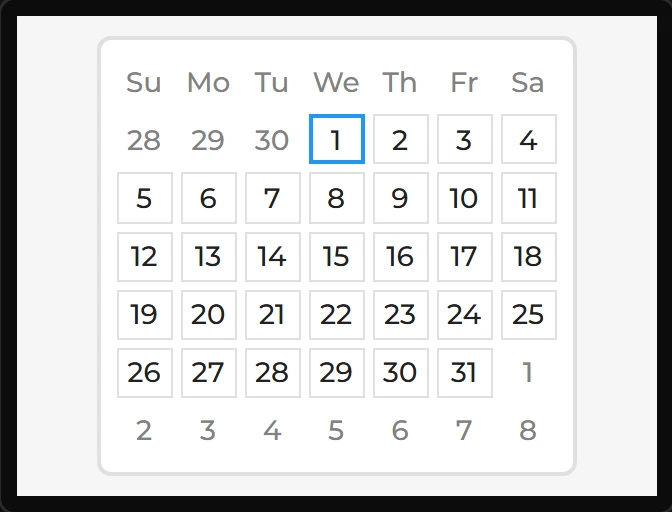
| Year / Month / Day | 2026 / 7 / 1 | Today, as the calendar first knows it: its month is shown and the day is ringed. |
| Day names | Su Mo Tu We Th Fr Sa | Seven lines, Sunday first, in place of the built-in names. The week starts on Sunday, as LVGL’s does. |
| Highlighted dates | (none) | One date a line as YYYY-MM-DD. Those in the month shown are tinted with the theme’s primary colour. |
Styling the days. The day squares are the Items part: a border, a background, a text colour and font for every day. The theme gives them a thin grey border and a faint white fill. The day names and the days of other months are drawn without fill or border, in the disabled look. Checked is the highlighted dates: style Items in the Checked state to change how they look. LVGL keeps a highlighted date’s fill, and on LVGL 9 its border, in the theme’s primary colour, and the designer says so as a note. Arduino, ESP-IDF and MicroPython; ESPHome has no calendar. Compiled, not run on a board.
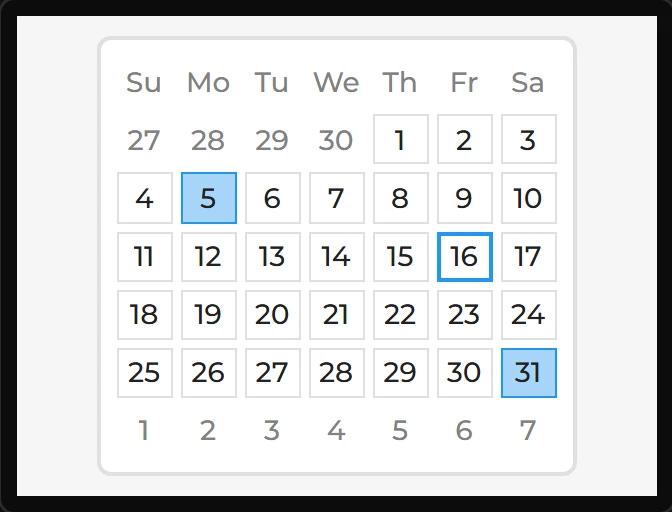
Example: opening on a given day
- Drag a Calendar onto the screen.
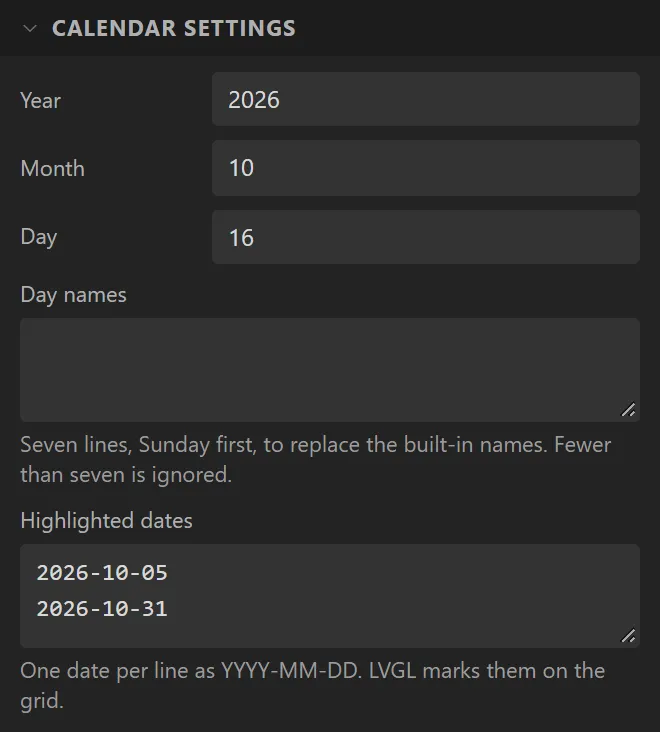
- Under Calendar settings set Year to
2026, Month to10and Day to16. The month is shown, with that day marked. - Put
2026-10-05and2026-10-31in Highlighted dates, one a line. Both are tinted. The days of September and November that fill the first and last weeks are drawn in grey.