Waveshare ESP32-P4-WIFI6-Touch-LCD-3.4C
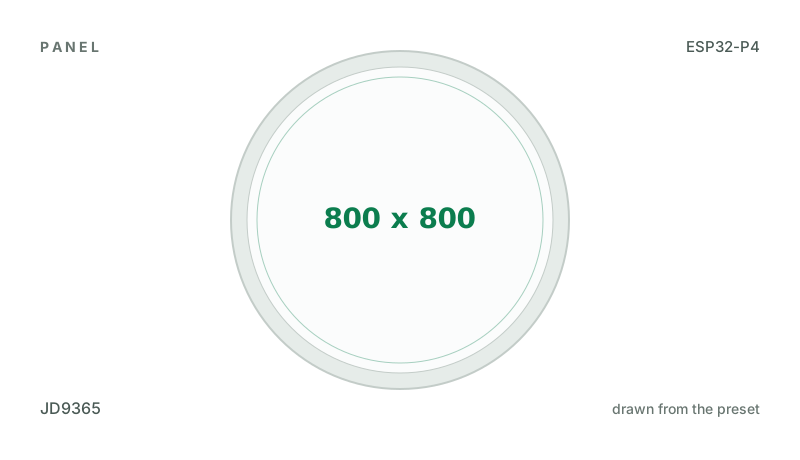
3.4" 800x800 round IPS panel (JD9365) on MIPI-DSI with GT9271 touch on an ESP32-P4, an ES8311 speaker codec, a TF card, a camera connector and Wi-Fi through its ESP32-C6. Compiled, not yet seen on a board.
Building for it
A project is made for one toolchain, picked when you start it. For this board you can use two of the four:
| Toolchain | |
|---|---|
| Arduino (C++) | Every board, every widget and every peripheral here. The most control, and the most to set up. Start a project |
| MicroPython | The MicroPython export has not been built for this chip yet. It is written for the ESP32, S2, S3, C3 and C6. |
| ESPHome | The ESP32-P4 is only useful here with a MIPI-DSI panel, which this export does not write yet. |
| ESP-IDF (C) | Espressif's own framework: esp_lcd, the component registry and idf.py, with nothing of Arduino in it. Start a project |
Wi-Fi: the ESP32-C6 beside the P4
The ESP32-P4 has no radio. This board’s Wi-Fi is an ESP32-C6 on the P4’s SDIO lines running Espressif’s ESP-Hosted, which has to be the release the ESP32 core was built with (2.12.11 for the core LCD Wizard exports for). A C6 as it leaves the factory may run an older one: the serial port then says ESP-Hosted of an unknown version, and Wi-Fi can fail or freeze the board as it starts. Update my C6 writes 2.12.11 to it from the browser, with no Wi-Fi and no password. Why, and how to update the C6.
- Not yet run on this board by us. The updater is built from this board’s preset and compiled, but we have not run it on one ourselves. It writes nothing until you press Start update on the board’s screen and confirm.
- An older C6 may have to be flashed by hand. One whose ESP-Hosted is too old to take an update over the link refuses it, and nothing is written; it is then flashed through its own UART, as the board’s maker describes (how).
At a glance
| Part | Detail |
|---|---|
| Maker | Waveshare |
| MCU | ESP32-P4 RISC-V dual-core @ 400 MHz, 768 KB SRAM (+ PSRAM) |
| Display | Jadard JD9365, 800 x 800 px, MIPI-DSI, 16-bit colour |
| Touch | Goodix GT911 (capacitive, I2C) |
| Backlight | GPIO 26, dimmable (PWM) |
| Memory | 32 MB flash, 32 MB PSRAM (N32R32) |
| Graphics library | GFX Library for Arduino |
Display pins
JD9365 on MIPI-DSI: RGB colour order, inversion off.
| Signal | Pin |
|---|---|
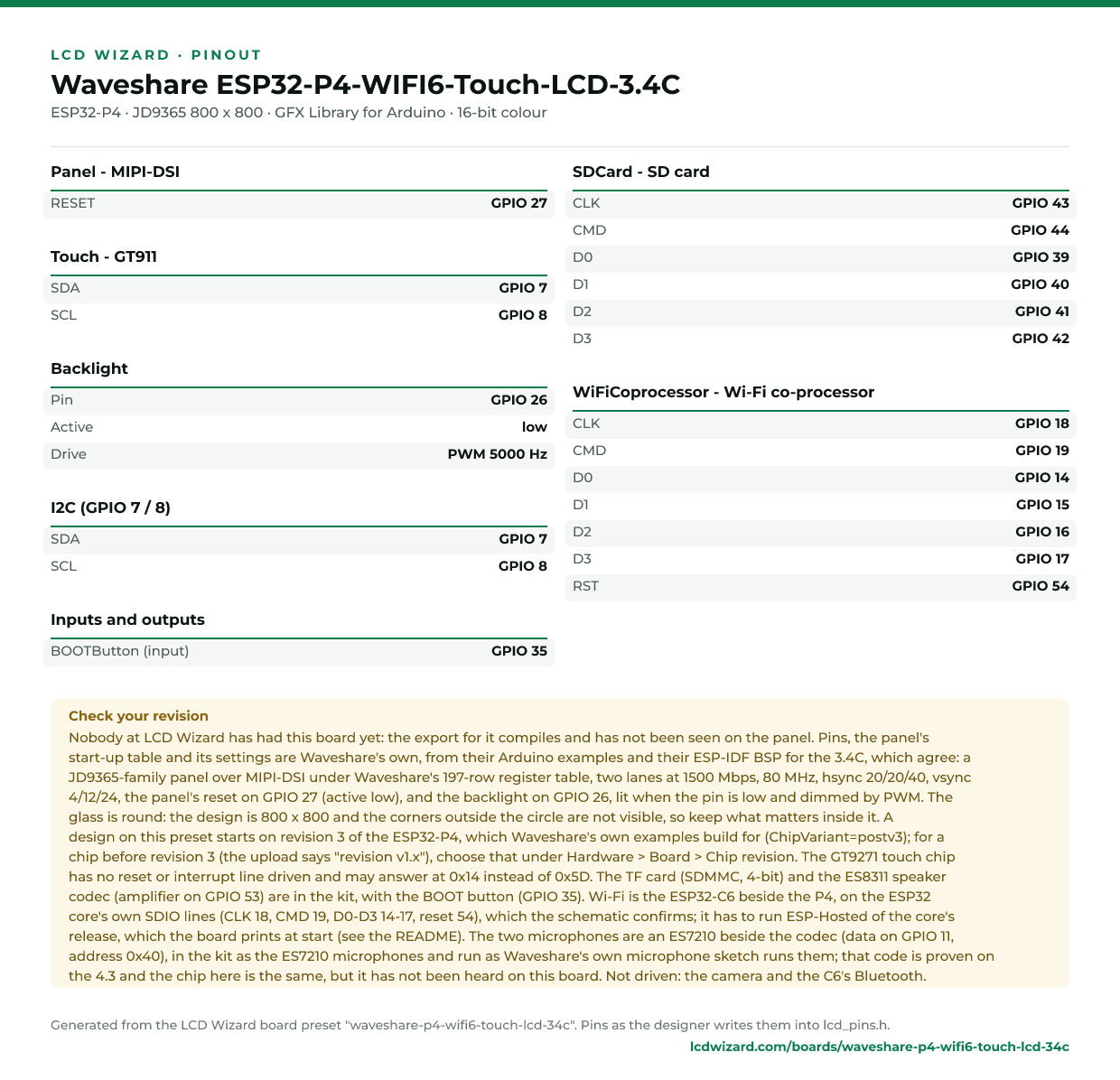
| RESET | GPIO 27 |
| Backlight | GPIO 26 (active low) |
Touch pins
GT911: I2C address 0x5D, 400 kHz, shares the display bus.
| Signal | Pin |
|---|---|
| SDA | GPIO 7 |
| SCL | GPIO 8 |
| RESET | not connected |
Also on the board
- I2C (GPIO 7 / 8) - SDA GPIO 7, SCL GPIO 8
- SDCard - SD card, CLK GPIO 43, CMD GPIO 44, D0 GPIO 39, D1 GPIO 40, D2 GPIO 41, D3 GPIO 42
- WiFiCoprocessor - Wi-Fi co-processor, CLK GPIO 18, CMD GPIO 19, D0 GPIO 14, D1 GPIO 15, D2 GPIO 16, D3 GPIO 17, RST GPIO 54
The ESP32-C6 beside the P4 is this board's Wi-Fi, on the ESP32 core's own SDIO lines for the P4, which Waveshare's own Arduino Wi-Fi example (05_GFX_ESPWiFiAnalyzer) relies on. It must run ESP-Hosted of the core's release (the README says how to tell). - BOOTButton - input on GPIO 35
The preset adds these to the Hardware tab with the board, so a sensor can go straight onto the connector.
Check your revision. Nobody at LCD Wizard has had this board yet: the export for it compiles and has not been seen on the panel. Pins, the panel's start-up table and its settings are Waveshare's own, from their Arduino examples and their ESP-IDF BSP for the 3.4C, which agree: a JD9365-family panel over MIPI-DSI under Waveshare's 197-row register table, two lanes at 1500 Mbps, 80 MHz, hsync 20/20/40, vsync 4/12/24, the panel's reset on GPIO 27 (active low), and the backlight on GPIO 26, lit when the pin is low and dimmed by PWM. The glass is round: the design is 800 x 800 and the corners outside the circle are not visible, so keep what matters inside it. A design on this preset starts on revision 3 of the ESP32-P4, which Waveshare's own examples build for (ChipVariant=postv3); for a chip before revision 3 (the upload says "revision v1.x"), choose that under Hardware > Board > Chip revision. The GT9271 touch chip has no reset or interrupt line driven and may answer at 0x14 instead of 0x5D. The TF card (SDMMC, 4-bit) and the ES8311 speaker codec (amplifier on GPIO 53) are in the kit, with the BOOT button (GPIO 35). Wi-Fi is the ESP32-C6 beside the P4, on the ESP32 core's own SDIO lines (CLK 18, CMD 19, D0-D3 14-17, reset 54), which the schematic confirms; it has to run ESP-Hosted of the core's release, which the board prints at start (see the README). The two microphones are an ES7210 beside the codec (data on GPIO 11, address 0x40), in the kit as the ES7210 microphones and run as Waveshare's own microphone sketch runs them; that code is proven on the 4.3 and the chip here is the same, but it has not been heard on this board. Not driven: the camera and the C6's Bluetooth.
Designing for it in LCD Wizard
- Choose Waveshare ESP32-P4-WIFI6-Touch-LCD-3.4C on the Hardware tab (or use the button above) and every pin on this page is filled in. The export writes the sketch,
lcd_pins.h, the GFX Library for Arduino configuration,lv_conf.handplatformio.ini- a project that builds for this board as it comes. - The GT911 is capacitive and needs no calibration. The firmware resets it and checks it answers on every boot.
- The backlight is dimmable: give a slider or a button a Set backlight action.
- With PSRAM the LVGL memory pool can live there, leaving internal RAM for everything else.
- The MIPI-DSI panel stays on while settings or files are saved: the Arduino export keeps the frame running through flash writes, which otherwise blank an ESP32-P4 screen.
- Screens are designed for 800 x 800 px in either orientation, with LVGL 9 or LVGL 8.
The parts
JD9365. ESP32-P4 only, with PSRAM. 800x1280, portrait; and 800x800 round, Waveshare's 3.4C. Compiled, not yet seen on a board.
GT911. The address is selected by the INT pin level during reset, so wire INT and RST if you can.
ESP32-P4. Has a MIPI-DSI host and a 2D graphics accelerator (PPA). Arduino core support is newer - verify your core version.
GFX Library for Arduino. Moshi Liu's library. Best QSPI/AMOLED and RGB coverage. Configured in code.
The pinout on one page
Every pin above, laid out to print and keep beside the bench. Generated from this preset, so it says exactly what the designer writes into lcd_pins.h.
Download the pinout (PNG)Open it as SVG
The same pins as data - board.json and pins.csv - are in the open pinout dataset on GitHub, free to reuse under CC BY 4.0.
Designs for this board
Nobody has published a design for this board yet. Publish yours from the designer and it appears here and in the gallery.
Similar boards
 Waveshare ESP32-P4-NANO + 8-DSI-TOUCH-AWaveshare's 8" 800x1280 MIPI-DSI screen (JD9365) with GT911 touch on their ESP32-P4-NANO, whose backlight is a register on I2C. With the NANO's ES8311 codec, TF card, Ethernet and Wi-Fi through its ESP32-C6. Compiled, not yet seen on a boarESP32-P4 · JD9365 800 x 1280 · GT911 touchPurchase this boardWaveshare ESP32-P4-NANO + 10.1-DSI-TOUCH-AWaveshare's 10.1" 800x1280 MIPI-DSI screen (JD9365) with GT911 touch on their ESP32-P4-NANO, whose backlight is a register on I2C. With the NANO's ES8311 codec, TF card, Ethernet and Wi-Fi through its ESP32-C6. Compiled, not yet seen on a bESP32-P4 · JD9365 800 x 1280 · GT911 touchPurchase this board
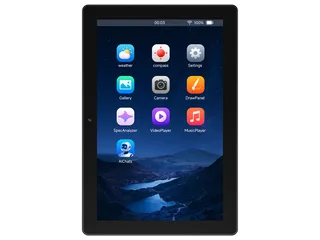 Waveshare ESP32-P4-WIFI6-Touch-LCD-10.110.1" 800x1280 MIPI-DSI panel (JD9365) with GT911 touch on an ESP32-P4, and Wi-Fi through its ESP32-C6. Compiled, not yet seen on a board.ESP32-P4 · JD9365 800 x 1280 · GT911 touchPurchase this boardWaveshare ESP32-P4-NANO + 7-DSI-TOUCH-AWaveshare's 7" 720x1280 MIPI-DSI screen (ILI9881C) with GT911 touch on their ESP32-P4-NANO, whose backlight is a register on I2C. With the NANO's ES8311 codec, TF card, Ethernet and Wi-Fi through its ESP32-C6. Compiled, not yet seen on a boESP32-P4 · ILI9881C 720 x 1280 · GT911 touchPurchase this board
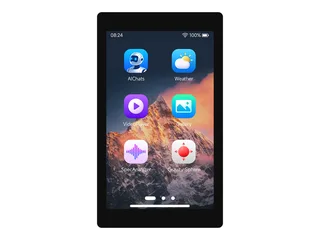 Waveshare ESP32-P4-WIFI6-Touch-LCD-4.34.3" 480x800 MIPI-DSI panel (ST7701) with GT911 touch on an ESP32-P4, an ES8311 speaker codec, a TF card, a camera connector and Wi-Fi through its ESP32-C6. Compiled, not yet seen on a board.ESP32-P4 · ST7701 (MIPI-DSI) 480 x 800 · GT911 touchPurchase this board
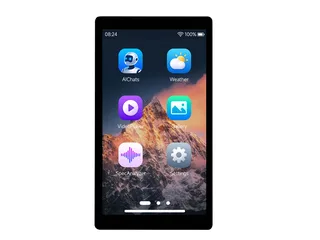 Waveshare ESP32-P4-WIFI6-Touch-LCD-55" 720x1280 MIPI-DSI panel (HX8394) with GT911 touch on an ESP32-P4, an ES8311 speaker codec, a TF card and Wi-Fi through its ESP32-C6. Compiled, not yet seen on a board.ESP32-P4 · HX8394 720 x 1280 · GT911 touchPurchase this board
Next
- Quick start - from an empty screen to firmware on the board
- Boards and displays - presets, controllers, pins and touch in the designer
- Flashing and configuration - PlatformIO, the Arduino IDE and first-boot checks
- Troubleshooting - a white screen, mirrored image or touch that misses
- ESP32-P4 screen flickers when writing flash - NVS, LittleFS and OTA writes: the cause and the fix